Edge Impulse Wake Word Model Training – Tech Roundup
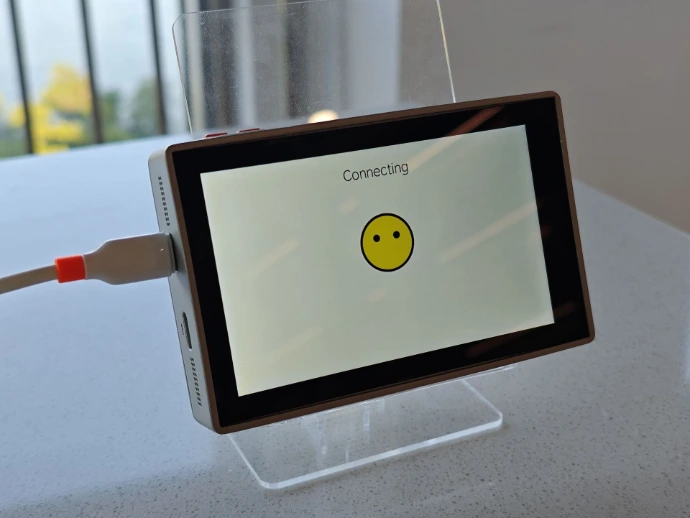
Edge Impulse Wake Word Model Training – Tech Roundup
Duration: 1 Day | Level: Beginner to Intermediate
Delivery Mode: Hands-on Labs & Instructor-Led Sessions
Platform: Edgi-Talk Dev Board (ARM-based) & Edge Impulse Platform
Course Overview
This intensive 1-day training walks you step by step through learning how to train a voice keyword model and deploy it to embedded hardware, using the Edgi-Talk platform to adapt Edge Impulse. The principles also apply generally to other ARM embedded platforms. Participants will learn to:
Create an Edge Impulse account and set up projects
Record and upload audio datasets (wake word + noise)
Split and label audio data for training
Design and train a wake word model using MFCC and Classification blocks
Deploy the trained model to Edgi-Talk embedded hardware
Key Learning Outcomes
✔ Platform Setup: Create Edge Impulse account and project
✔ Data Collection: Record wake word and noise audio datasets
✔ Data Preparation: Split audio files and label data for training
✔ Model Design: Create Impulse with MFCC preprocessing + Classification
✔ Model Training: Train and evaluate wake word model
✔ Edge Deployment: Generate library file and deploy to Edgi-Talk board
Training Agenda
Day 1: End-to-End Wake Word Model Training & Deployment
Morning Session – Account Setup & Data Collection
Edge Impulse introduction and platform overview
Create account and new project
Flash Edgi-Talk dev board with UAC firmware using ModusToolbox Programmer
Verify board shows up as microphone in Windows Sound settings
Record audio dataset: wake word (20-50 files) + noise using Audio-recording.exe
Mid Session – Data Upload & Preparation
Upload audio data to Edge Impulse platform
Split audio files into 1-second segments
Classify data into two categories: Wake Word + Other
Organize Training list and Test list data
Afternoon Session – Model Training
Create Impulse: set window size (1000 ms) and window increase (500 ms)
Add Audio (MFCC) processing block for feature extraction
Add Classification learning block (CNN-based)
Generate MFCC features from audio data
Train the model using Classifier block
Evaluate model performance using Model Testing
Closing Session – Deployment & Testing
Generate Arduino library and TensorFlow Lite files
Download and extract model library files
Replace model files in Edgi-Talk SDK (Edgi_Talk_M55_XiaoZhi/edge-impulse)
Compile project and flash to dev board
Run wake word test via serial terminal commands:
xz_wakeword_init
xz_wakeword_start
Verify wake word detection with serial log output
Who Should Attend?
Embedded AI Engineers developing voice-enabled edge devices
IoT Developers working on voice-controlled hardware
Technical Teams evaluating Edge Impulse platform for ARM embedded systems
Hobbyists and Makers exploring edge machine learning
Why Choose This Training?
✅ Hands-on Labs: Work directly with Edgi-Talk dev board hardware
✅ End-to-End Workflow: From data collection to edge deployment
✅ Industry-Driven Content: Focused on deployable voice keyword solutions
✅ Expert Instructors: Learn from experienced Edge Impulse practitioners
Prerequisites
Basic understanding of embedded systems
Familiarity with Windows OS and command line
No prior AI experience required (fundamentals covered)
Basic knowledge of serial terminal usage
Hardware Inclusive
Edgi-Talk dev board
Additional Resources
UAC Firmware: Download Link
Audio Recording Software: Download Link
Edgi-Talk SDK: Latest version available from RT-Thread Studio